A healthy app refund rate sits between 2 and 5 percent, here's where to find yours and what it really costs
Most mobile apps refund 2 to 5 percent of paid transactions, but Apple and Google keep the number in different dashboards. Here is where to find your app refund rate, what counts as normal by plan and category, and what each refund really costs you after fees.

Key takeaways
- Across large datasets, the typical mobile app refund rate lands between 2 and 5 percent of paid transactions. Adapty measured that band across $1.9 billion in revenue and more than 11,000 apps, and RevenueCat reports a similar range across more than 75,000 apps.
- Refund rate is defined the same way everywhere: refunded transactions divided by total paid transactions, counted against the period the purchase was made, not the day the refund cleared.
- Plan length moves the number. Annual plans refund the most at about 4.2 percent and weekly plans the least at about 2.6 percent, because a bigger up-front charge is the one buyers most often reverse.
- Paywall design moves it more. Apps with a hard paywall refund around 5.8 percent while freemium apps sit near 3.4 percent, so forcing the purchase before any value raises both conversion and regret.
- Apple keeps refunds inside Sales and Trends: choose Trends, add a filter for Transaction Type, and select Refunds, where they appear as negative unit values. Google Play shows a refunds count under Financial reports, Subscription, Overview, and individual refunds under Order management.
- A refund reverses your net proceeds, not the gross price, because the store also reverses its commission. But it never returns the compute, API calls, storage, or payouts you already spent delivering the purchase, so the real loss is larger than the line item.
- Only two refund types ever ask you for evidence: Apple's CONSUMPTION_REQUEST with a 12-hour window and Google Play's chargeback review through orders.reviewrefund with a 24-hour window. Everything else in your refund rate was decided without you.
Most mobile apps refund somewhere between 2 and 5 percent of what they sell, and yet very few developers can name their own number without going to look. Part of the reason is that Apple and Google keep it in different places, under different names, and neither one puts it on the front page. Your app refund rate is worth the dig anyway. It is the cleanest health signal you have for pricing, paywall design, and refund abuse, and it is the multiplier on a cost most teams never fully count. A refund does not just hand back the sale. It leaves you holding the compute, the API calls, the storage, and the payouts you already spent to deliver the purchase, and on a chargeback it costs you more than the price. Here is where each store keeps the number, what a normal rate looks like by plan and category, and what a single point of refund rate actually costs once you follow the money.
What counts as a normal app refund rate
Start with the benchmark, so your own number means something. The best public datasets put the typical app refund rate between 2 and 5 percent of paid transactions. Adapty reported that band from an analysis of $1.9 billion in revenue across more than 11,000 apps. RevenueCat, looking at more than 75,000 apps, lands in the same neighborhood and calls refund rate a core health metric for the business. If you are inside that range, you are ordinary. If you are above it, something specific is driving it, and the segments below usually tell you what.
Refund rate by plan length and paywall
The single biggest movers in the public data are plan length and how hard your paywall is. Longer commitments and forced purchases both raise regret.
| Segment | Typical refund rate | Why |
|---|---|---|
| Weekly plan | ~2.6% | Small charge, low regret, easy to let ride |
| Monthly plan | ~3.0 to 3.5% | The middle of the pack |
| Annual plan | ~4.2% | The largest up-front charge, and the one buyers most reverse |
| Hard paywall | ~5.8% | Purchase forced before any value is seen |
| Freemium | ~3.4% | Buyers try first, so fewer regret the charge |
Refund rate by app category
Category matters because it stands in for buyer intent. Aspirational purchases get refunded more than practical ones.
| Category | Typical refund rate |
|---|---|
| Education | ~4.9 to 5.1% |
| Health and fitness | ~4.7% |
| Lifestyle | ~3.0 to 4.0% |
| Productivity | ~2.5 to 3.5% |
| Business | ~2.9% |
| Gaming | ~2.7% |
| Shopping | ~1.5 to 2.5% |
| Travel | ~1.5% |
The pattern is consistent. Education and fitness carry the most buyer's remorse, travel and business the least, and price feeds into it too, since the lowest-priced plans show the lowest refund rate at around 2.2 percent. Read your own number against your category, not against the global average.
Where each store keeps your refund rate
Neither store shows refund rate as a headline. You compute it yourself from a refund count and a sales count, and the two numbers live on different screens on each platform.
Finding refunds in App Store Connect
Apple keeps refunds inside Sales and Trends. Open App Store Connect, select Trends at the top, pick your date range in the top right, then click Add Filters in the upper-left and choose Transaction Type. Under Transaction Type, choose Refunds. Refunds appear as negative unit values on the right-hand side, and the Percentage Range column shows how your refund total changed from the previous period. One thing to know: your daily Unit totals already fold in processed refunds, so the filter is how you pull refunds out on their own to size them against sales. For the money side rather than the unit side, the Payments and Financial Reports show refunds already netted out of your proceeds.
Finding refunds in Google Play Console
Google Play splits it in two. For the aggregate, open Financial reports, then Subscription, then Overview, where a Refunds figure shows the total number of refunds issued in your selected period alongside gross revenue and active subscriptions. For individual orders, open Order management, where you can see and filter refunded orders one by one. Play Console keeps refunds and cancellations as separate events, so do not read a cancellation count as a refund count. A canceled subscription that finishes its paid term was never refunded.
What a point of refund rate actually costs
Here is the part the dashboards do not show you. Multiply your refund rate by your revenue and you get the money handed back, but that is the smallest part of the bill.
Walk one refund. When the store refunds a purchase, it returns the full price to the buyer and reverses its own commission, so what actually leaves your account is your net proceeds, the 70 or 85 percent you would have kept, not the gross price. That is the good news, and it is where the good news ends. The store does not return the compute you burned generating the result, the third-party API calls you paid for, the storage you provisioned, or the creator payout you already sent. For a consumable that was delivered and used, you gave the customer the goods and gave back the money. The refund line understates the loss every time.
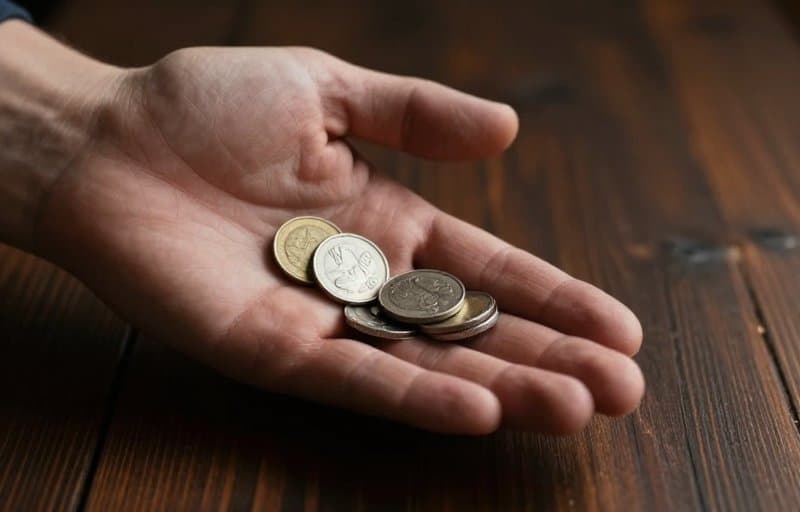
Chargebacks are the expensive tier
Ordinary refunds are the cheap end of the range. A chargeback is the same lost sale plus a flat bank fee, and the fee does not scale with price. On a $4.99 coin pack, the fee alone can cost more than the customer paid, so a single disputed cheap purchase can lose you a multiple of its value. Chargebacks are also bank-final: there is no appeal once the bank decides. And starting August 3, 2026, Google Play shifts the chargeback purchase price plus the bank fees onto the developer, so on Android the arithmetic gets worse on that date. Track chargebacks separately from your ordinary refund rate, because they behave differently and cost differently.
| Refund type | Who decides | Can you contest | What it costs you |
|---|---|---|---|
| Store self-service refund | The store, automatically | No | Your net proceeds, plus the delivery cost already spent |
| Apple CONSUMPTION_REQUEST | Apple, with your input | Yes, within 12 hours | Net proceeds if the refund is granted, nothing extra if declined |
| Google Play chargeback review | The bank, with your input | Yes, within 24 hours | Price plus a flat bank fee, and from August 3 2026 both land on you |
| Bank chargeback, no review | The bank, final | No | Price plus a flat fee, often more than a cheap purchase was worth |
How to bring a high app refund rate down
If your number is above your category, the levers are the same ones that raised it. Work them in order of leverage.
- Soften a hard paywall. The jump from freemium to a hard paywall is worth roughly 2.4 points of refund rate in the public data. A short free experience before the charge trades a little conversion for a lot less regret.
- Match the plan to the intent. Annual plans carry the highest refund rate, so lead with the term the buyer actually wants and make the annual upgrade a choice, not a default.
- Attach a stable account id to every purchase. Apple's appAccountToken must be a UUID, and Google's setObfuscatedAccountId is a hash of up to 64 characters, never cleartext. Without one, you cannot tell a first-time refund from a serial refunder, and you cannot answer the two flows that ask for evidence.
- Answer the two contestable flows every time. A CONSUMPTION_REQUEST you ignore inside 12 hours is a refund Apple often grants by default, and a chargeback review you skip inside 24 hours is a dispute you forfeit. Silence is the most expensive answer.
- Watch the trend, not the day. Refund rate is noisy at small volumes. Read it as a rolling line against your own history and your category, and investigate a sustained rise, not a single spiky week.
A short checklist for reading your refund rate
- You can pull a refund count from App Store Connect Sales and Trends, filtered to Transaction Type Refunds, and from Google Play Financial reports, Subscription, Overview.
- You compute the rate as refunded transactions over total paid transactions, cohorted to the purchase period.
- You compare against your category, not the global 2 to 5 percent, and against your own rolling trend.
- You segment chargebacks out, because they cost more than ordinary refunds and, on Google from August 3 2026, land the fee on you.
- Every purchase carries a stable account id, so a refund arrives with history attached.
- You answer every CONSUMPTION_REQUEST inside 12 hours and every chargeback review inside 24.
Your refund rate is not a vanity metric and it is not just money handed back. It is the one number that tells you whether your pricing, your paywall, and your abuse controls are working, sized against a cost that is always bigger than the refund itself. Find it, benchmark it against your own category, and watch the trend. The stores will not surface it for you, but everything you need to compute it is already sitting in their dashboards.
Frequently asked questions
- What is a normal refund rate for a mobile app?
- A normal mobile app refund rate is roughly 2 to 5 percent of paid transactions, based on Adapty's analysis of $1.9 billion in revenue across more than 11,000 apps and RevenueCat's data across more than 75,000 apps. Read your own rate against your category, since education and fitness run near 5 percent while travel sits around 1.5 percent.
- How do I see my refunds in App Store Connect?
- In App Store Connect, open Sales and Trends, select Trends, choose a date range, click Add Filters, choose Transaction Type, then select Refunds. Refunds show as negative unit values, and your daily Unit totals already include processed refunds, so the filter is how you isolate them to count against sales.
- Where does Google Play Console show refunds?
- Google Play shows a total refunds count under Financial reports, then Subscription, then Overview for the period you select, and individual refunded orders under Order management. Cancellations are tracked separately from refunds, so do not treat a cancellation as a refund.
- How is app refund rate calculated?
- Refund rate is refunded transactions divided by total paid transactions, expressed as a percentage. The cleaner method attributes each refund to the period the purchase was made rather than the day the refund cleared, so a spike in refunds does not distort an earlier cohort's rate.
- Does a refund cost me more than the purchase price?
- Often yes. A store refund reverses your net proceeds rather than the gross price, but it does not return the compute, API calls, storage, or payouts you already spent delivering the purchase. A chargeback is worse: it adds a flat bank fee that can exceed a cheap purchase, and from August 3, 2026 Google Play puts that price and fee on the developer.
- What refund rate is high enough to worry about?
- There is no universal cutoff, but a rate sustained well above your category benchmark is the signal to act. Watch a rolling trend rather than a single week, and segment out chargebacks and repeat refunders, since those cost the most and usually explain a rising number.
Sources and further reading
- Apple: View units, proceeds, sales, and pre-orders in Sales and Trends
- Apple: Download and view Sales and Trends reports
- Google Play Help: Review in-app subscription performance
- Google Play Help: Manage your app's orders and issue refunds
- Adapty: Understanding refund rate benchmarking
- RevenueCat: Refund Rate chart and definition
- Business of Apps: App Refund Rates data
RefundHalt
The refund autopilot for the App Store and Google Play
Keep reading
Discontinue a subscription and Apple stops the renewals while Google keeps billing, here's what each path costs you
Retire a subscription and the two stores do opposite things. Remove it from sale on the App Store and renewals stop. Deactivate the base plan on Google Play and your existing subscribers keep paying. Here is how to discontinue a subscription on each store, and what the ongoing bill really is.
You can pause a subscription or push back its renewal date instead of refunding it, and that keeps most of the money
When a subscriber wants out, you can pause a subscription, defer the next charge, or extend the renewal date instead of refunding. Each keeps the customer and returns none of the money you already collected. Here is how every lever works on each store, and what it saves.